ON THIS PAGE
When Till Harbaum released Galagino in 2023, he provided the community with an incredible gift: a masterclass in tight Z80 emulation and audio synthesis for the ESP32. It’s the kind of project that reminds you why embedded systems are so much fun—it’s efficient, clever, and perfectly captures the soul of the original arcade cabinets.
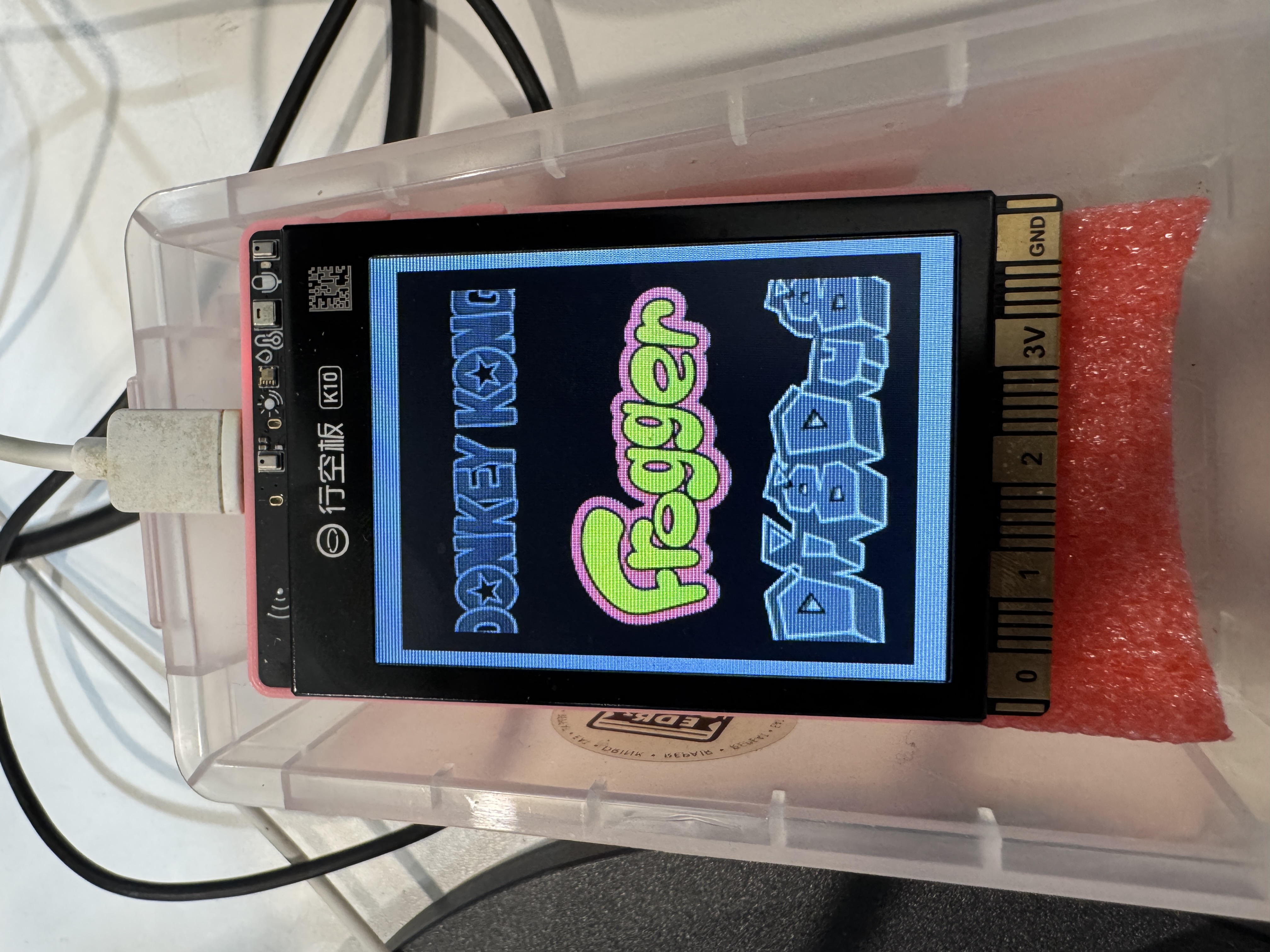
Having spent a lot of time with the DFRobot UniHiker K10 lately for workshops, I wanted to see if I could take Till’s foundational work and adapt it to take advantage of the K10’s specific hardware quirks—primarily its 80MHz SPI display and integrated PSRAM.
I adapted it for a more capable platform—the ESP32-S3-N16R8, leveraging its 8MB of integrated Octal PSRAM and try to hit a smooth 60Hz refresh rate.
You can find the source and my K10-specific adaptations in the Unihiker_K10_Arcade repository.
Technical Deep-Dive: Reaching 60Hz
The UniHiker K10 is built around the ESP32-S3-N16R8, which provides a few extra resources to play with. By building on top of the Galagino engine, I focused on some technical “headroom” adjustments to hit a stable 60Hz:
- Transition to ESP-IDF: I moved the entire project from the Arduino IDE to the native ESP-IDF framework. This was essential for gaining fine-grained control over the build system, L2 cache configuration, and the specific DMA behaviors required for high-speed display updates.
- 240MHz Core Clock: Running the ESP32-S3 at its full rated speed gives the emulation core enough cycles to handle the extra logic and audio synthesis without dropping frames.
- 80MHz SPI Clock: I aggressively tuned the SPI bus to 80MHz. The S3 handles this surprisingly well, significantly reducing the time spent per frame transfer.
- Optimized DMA Strategy: Instead of standard blocking transfers, I updated the DMA pipeline to ensure the CPU is freed up immediately after a transfer is queued.
- Larger Rendering Strips: I moved from 16-pixel horizontal strips to 48-pixel strips. This reduces the total number of DMA transactions per frame, which, combined with the 80MHz clock, is what finally locked the output at 60Hz.
Utilizing PSRAM
While the original Galagino did an amazing job managing internal SRAM, the K10’s 8MB of PSRAM provides some welcome breathing room. Hosting the intermediate buffers and the larger 48-pixel strips in PSRAM keeps the internal heap free for the emulation core itself.
Key Features
- Six Machines in One: The firmware includes Pac-Man, Galaga, Donkey Kong, Frogger, Dig Dug, and 1942.

- Flexible Build Control: Multi-machine support is controlled by simple compile-time
ENABLE_*flags. - High-Performance Video: Zero-copy DMA double-buffered frame presentation to the TFT display.
- I2S Audio: Full arcade sound generation for Namco WSG, AY-3-8910, and DK PCM architectures.
- Integrated Hardware: Onboard button and backlight handling via the XL9535 I/O expander.
- WiFi AP Gamepad: A built-in server that turns any smartphone into a touch-optimized gamepad via WebSockets.
- Persistent Menu State: App-level menu flow with NVS-persisted last selection and an idle “random-launch” (Attract Mode).
- Dual-Core Orchestration: Leveraging FreeRTOS to run emulation on Core 0 while Core 1 handles rendering and presentation.
WiFi Gamepad: Remote Control
One addition I’m particularly happy with is the WiFi gamepad integration. While the K10 has onboard buttons, they can be a bit tight for long play sessions.

Taking inspiration from modern “controller-less” setups, the K10 now creates a local WiFi AP (K10_ARCADE). A player can join, open their phone’s browser, and use a touch-optimized HTML5 gamepad. It’s a zero-friction way to jump into a game of Donkey Kong or Pac-Man without needing to carry extra hardware or use the cramped onboard buttons.
Closing Thoughts
This project wouldn’t exist without Till Harbaum’s incredible work on Galagino. His emulator is the heart of this “K10 Edition,” and my contributions are really just about tailoring that engine to a specific piece of hardware I enjoy using.
If you have a K10 and want to revisit some classics, the code is available here.
This project is a port of Till Harbaum’s Galagino and is released under GPLv3. A huge thank you to Till for the inspiration and the solid foundation.